Number Ticker
An explanation of how the NumberTicker component works: bypassing React's re-render cycle using direct DOM rendering driven by physics-based spring interpolation.
Technical breakdown of the NumberTicker component: an optimized, high-performance counting selector that leverages Framer Motion's mathematical core and direct DOM mutations to count values without triggering React virtual DOM layout and reconciliation thrashing.
[!NOTE] This component is inspired by the Magic UI Number Ticker.
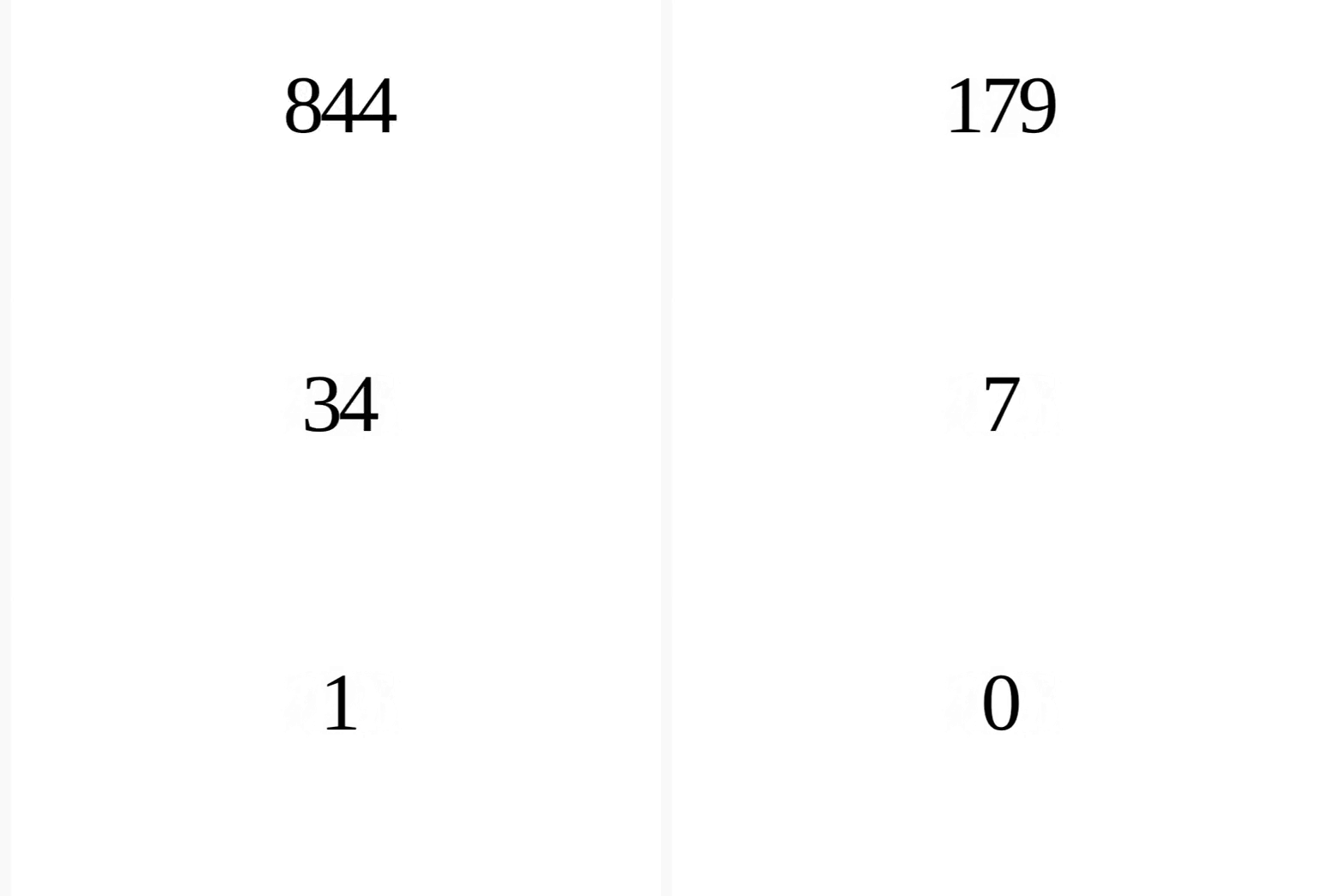
1. High-Level Flow Chart
The diagram below details the lifecycles, spring notification listeners, calculations, and performance-optimized browser drawing pipeline of the NumberTicker component:
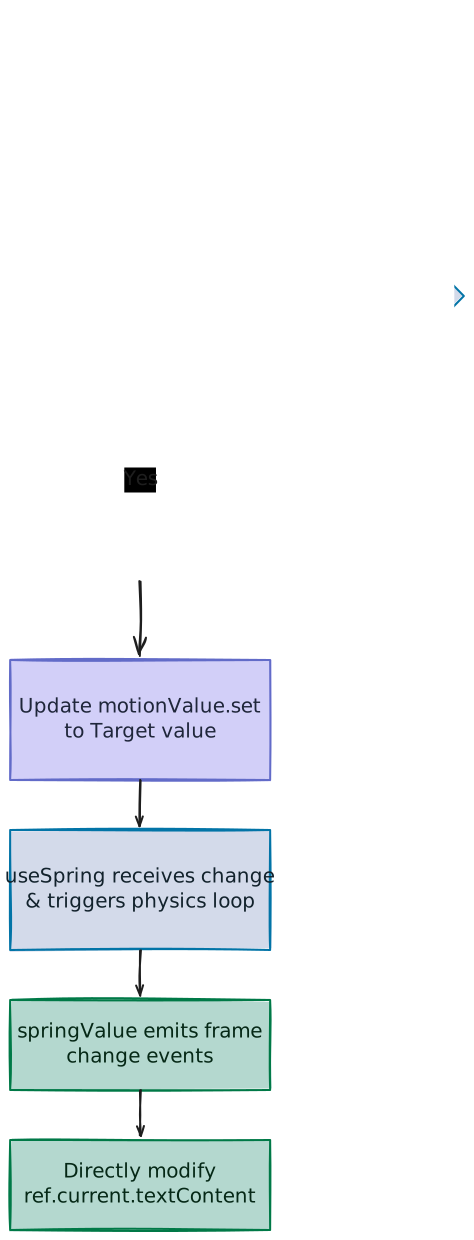
2. Component Implementation (number-ticker.tsx)
Below is the complete implementation of the NumberTicker component:
"use client"

import { useEffect, useRef, type ComponentPropsWithoutRef } from "react"
import { useInView, useMotionValue, useSpring } from "motion/react"

import { cn } from "@/lib/utils"

interface NumberTickerProps extends ComponentPropsWithoutRef<"span"> {
  value: number
  startValue?: number
  direction?: "up" | "down"
  delay?: number
  decimalPlaces?: number
}

export function NumberTicker({
  value,
  startValue = 0,
  direction = "up",
  delay = 0,
  className,
  decimalPlaces = 0,
  ...props
}: NumberTickerProps) {
  const ref = useRef<HTMLSpanElement>(null)
  const motionValue = useMotionValue(direction === "down" ? value : startValue)
  const springValue = useSpring(motionValue, {
    damping: 60,
    stiffness: 100,
  })
  const isInView = useInView(ref, { once: true, margin: "0px" })

  useEffect(() => {
    let timer: ReturnType<typeof setTimeout> | null = null

    if (isInView) {
      timer = setTimeout(() => {
        motionValue.set(direction === "down" ? startValue : value)
      }, delay * 1000)
    }

    return () => {
      if (timer !== null) {
        clearTimeout(timer)
      }
    }
  }, [motionValue, isInView, delay, value, direction, startValue])

  useEffect(
    () =>
      springValue.on("change", (latest) => {
        if (ref.current) {
          ref.current.textContent = Intl.NumberFormat("en-US", {
            minimumFractionDigits: decimalPlaces,
            maximumFractionDigits: decimalPlaces,
          }).format(Number(latest.toFixed(decimalPlaces)))
        }
      }),
    [springValue, decimalPlaces]
  )

  return (
    <span
      ref={ref}
      className={cn(
        "inline-block tracking-wider text-black tabular-nums dark:text-white",
        className
      )}
      {...props}
    >
      {startValue}
    </span>
  )
}
3. The Performance Engine: Bypassing React Re-Renders
Usually, rendering a counting animation in React involves storing the current count in a component's state (useState or standard React states). As the number updates from 0 to 100, this trigger causes the state to change up to 60/120 times per second, matching the browser refresh cycle.
The Problem with React State
When React state updates, it forces the component and its descendant sub-tree to undergo reconciliation. The Virtual DOM calculates diffs and commits adjustments to the browser DOM on every tick. For a simple text representation, this adds substantial script overhead and can cause noticeable rendering lag, especially if surrounding elements are complex.
The Solution: Direct DOM Writes
To bypass this overhead, NumberTicker separates component rendering from display updates:
- Static Initial Mount: The component is rendered only once by React. It outputs a static
<span>with thestartValuedirectly inside the JSX container:<span ref={ref} ...> {startValue} </span> - Direct Ref Access: An internal reference
refis bound to the<span>element. - Direct Updates: Instead of changing state, the component subscribes to the numerical changes in the background physics engine and modifies the DOM element directly using
.textContent:ref.current.textContent = ...
This direct bypass of React's render loop ensures that the counting animation remains extremely lightweight, rendering at a smooth 60fps or 120fps with negligible CPU footprint.
Asynchronous Scheduling vs. Synchronous DOM Updates
React’s state scheduling is asynchronous. Under heavy application load (such as concurrent page actions or complex calculations), React's scheduler may delay state-triggered re-renders. When these delayed updates pile up, it results in dropped frames and visual stutter (jank) as the number suddenly jumps forward to catch up.
By writing directly to .textContent inside the physics loop, the mutation happens synchronously during the animation frame tick. This guarantees the browser renders the updated value on the very next screen paint without waiting in React's scheduling queue.
4. Behind the Scenes of Framer Motion's Math Engine
Instead of CSS transitions, the component uses Framer Motion purely as a background calculation engine.
Frame-by-Frame Timeline
Setting motionValue.set(100) triggers the physics engine to calculate steps towards the target. Here is the simulated sequence:
| Time | motionValue (Target) | springValue (Position) | .textContent |
|---|---|---|---|
| 0ms | 100 | 0.00 | 0 |
| 16ms (Frame 1) | 100 | 4.21 | 4 |
| 48ms (Frame 3) | 100 | 24.89 | 25 |
| 96ms (Frame 6) | 100 | 78.23 | 78 |
| 160ms (Frame 10) | 100 | 100.00 | 100 |
(Note: On standard 60Hz monitors, the browser renders frames every ~16.67ms (1000ms / 60fps), forming the baseline for each animation step)
How does it move? (The Physics)
On each frame tick (via requestAnimationFrame), Framer Motion calculates how the numerical value shifts by simulating standard spring forces rather than a linear transition:
- Pulling Force (Stiffness): How strongly the spring pulls towards the final target number.
- Friction (Damping): The resistance that prevents the number from bouncing back and forth forever.
- Step Calculations: The animation loop adjusts the speed and position of the number on every tick. The
springValue.on("change")callback is triggered by these updates to rewrite.textContentinstantly.
5. The Parent-Spring Architecture: Why We Avoid springValue.set
One common point of confusion is why we do not update springValue directly. Why do we update motionValue instead?
// Correct Approach
motionValue.set(value)
1. How .set() Works on a Spring
Calling .set() directly on a Framer Motion useSpring instance overrides its internal physics engine. It instructs the spring to immediately disable its tension calculations and snap to the new value instantly (in 0 milliseconds). If you were to run springValue.set(100), the display text would jump from 0 to 100 instantly with no intermediate visual transition.
2. The Follower Connection
Instead, the design splits layout into a parent-follower connection:
motionValueacts as the parent target.useSpringwraps the parent:const springValue = useSpring(motionValue, { ... })- Whenever
motionValueupdates (even instantly), the followerspringValueregisters the target delta and begins simulating physics steps to slide towards it, emitting updates at standard monitor refresh speeds.
6. Layout Stability: Tabular Numbers
In proportional fonts, characters have varying widths (the number 1 is much narrower than the number 8). If the container scales to fit its content, counting numbers will jitter and shake horizontally as their individual widths change.
To resolve this, the component applies the Tailwind class tabular-nums, which compiles to the CSS declaration:
font-variant-numeric: tabular-nums;This forces the browser to treat all numerical digits (0 through 9) as having the exact same width, acting as a monospaced font for numbers only.
7. TypeScript Integration and Ref Safety
The component leverages TypeScript typing and properties utility types to ensure standard React flexibility:
A. Properties Spread (ComponentPropsWithoutRef<"span">)
By defining NumberTickerProps to extend ComponentPropsWithoutRef<"span">, the component inherits all standard HTML attributes available on native <span> elements:
interface NumberTickerProps extends ComponentPropsWithoutRef<"span"> { ... }This allows developers to assign standard HTML and React properties—such as id, style, className, onClick, and aria-label—directly to the component without encountering TypeScript compilation errors. These properties are captured using JavaScript's rest parameter (...props) and spread onto the rendered element:
<span ref={ref} {...props}>B. Avoiding Reference Conflict
The component specifies ComponentPropsWithoutRef rather than ComponentPropsWithRef to explicitly exclude the standard ref property from the inherited props list.
This is a defensive design choice. Because the component relies on its own internal ref to modify .textContent on every frame update, allowing an external parent component to pass down a ref would result in a collision, as an HTML element can only be bound to a single ref at a time. If external access to the DOM node is required, developers must orchestrate it using React.forwardRef and merge the internal and external references.
8. Customizable Properties Reference
| Property | Default | Type | Description |
|---|---|---|---|
value | — | number | The target value to animate towards (or starting value if counting down). |
startValue | 0 | number | The beginning numerical value. |
direction | "up" | "up" | "down" | The animation count direction configuration. |
delay | 0 | number | The delay (in seconds) before the animation begins. |
decimalPlaces | 0 | number | The exact trailing decimal point representation constraints. |
Video Text
An explanation of how the VideoText component works: using SVGs as dynamic CSS masks to play video inside display typography.
Hyper Text
An explanation of how the HyperText component works: generating a text-scrambling animation loop using requestAnimationFrame, performance.now(), and theme-aware CSS layouts.