Home

Highlighter

A technical breakdown of SVG-driven annotations, viewport intersection triggers, and multi-layered ResizeObserver alignments in React.

Implementation breakdown of the Highlighter component, covering its viewport-triggered annotation logic, dynamic resizing strategy, and CSS positioning mechanics.

[!NOTE] This component is inspired by the Magic UI Highlighter and utilizes the Rough Notation library and Framer Motion (motion/react) for lightweight, sketchy annotations.

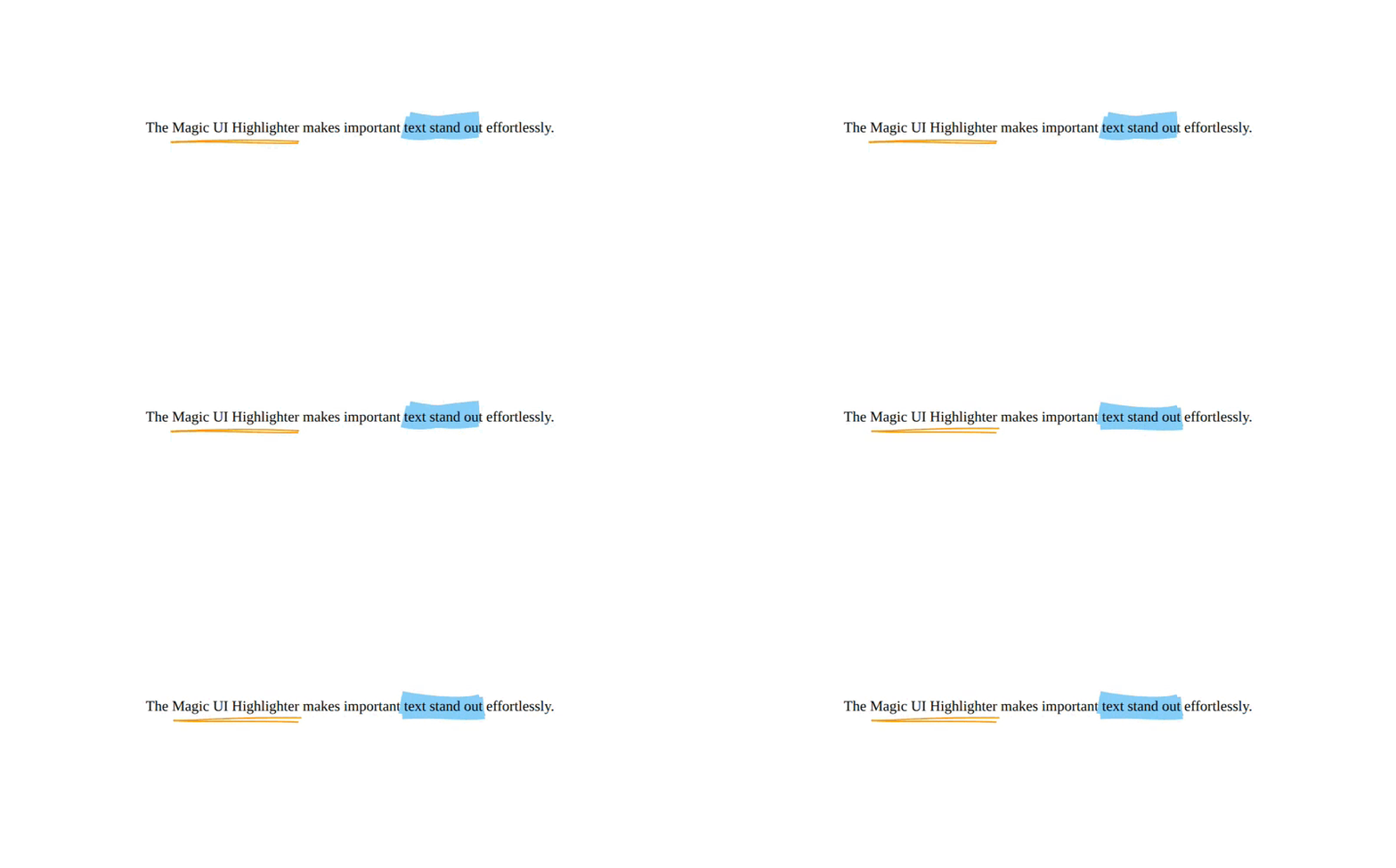
Highlighter Demo

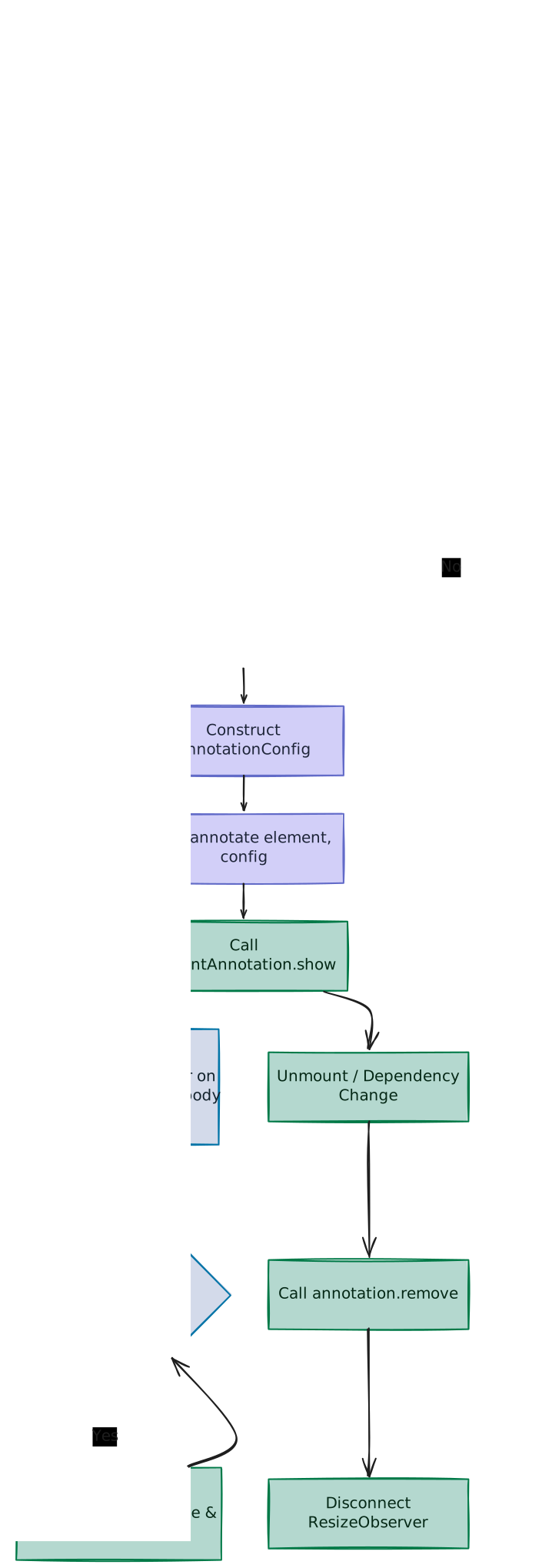
1. High-Level Flow Chart

The flowchart below outlines the initialization, layout calculation, and redraw lifecycle of the Highlighter component:

Highlighter Flowchart

2. High-Level Overview

The Highlighter component hooks into the window's layout systems to apply sketchy, hand-drawn vector outline animations on wrapper text elements.

A. What are Annotations?

In web interface design, annotations (often referred to as micro-notations) are dynamic visual markers overlaid on text or elements to emphasize key details and guide reader focus. Rather than using static CSS styling (like simple background fills or basic borders), these web annotations simulate hand-drawn, human markings, such as:

  • Highlights: Semi-transparent backdrops mimicking felt-tip highlighters.
  • Underlines & Strike-throughs: Sketchy lines running beneath or directly through words.
  • Enclosing Shapes (Circles, Boxes, Brackets, Crosses): Organic contours wrapping around text to grab attention.

B. Core Architecture Challenges

To create smooth and reliable SVG overlays that scale responsively, the system handles three main challenges:

  • Lazy Triggering: Deferring sketch animations until the user scrolls the inline text into the active viewport.
  • SVG Coordinate Precision: Creating overlay drawings mapped precisely to the local characters.
  • Responsive Layout Shifts: Clearing and recalculating the coordinates dynamically when elements wrapping limits or spacing adjustments occur.

3. Component Implementation (highlighter.tsx)

Below is the complete implementation of the Highlighter component:

"use client"

import { useLayoutEffect, useRef } from "react"
import type React from "react"
import { useInView } from "motion/react"
import { annotate } from "rough-notation"
import { type RoughAnnotation } from "rough-notation/lib/model"

type AnnotationAction =
  | "highlight"
  | "underline"
  | "box"
  | "circle"
  | "strike-through"
  | "crossed-off"
  | "bracket"

interface HighlighterProps {
  children: React.ReactNode
  action?: AnnotationAction
  color?: string
  strokeWidth?: number
  animationDuration?: number
  iterations?: number
  padding?: number
  multiline?: boolean
  isView?: boolean
}

export function Highlighter({
  children,
  action = "highlight",
  color = "#ffd1dc",
  strokeWidth = 1.5,
  animationDuration = 600,
  iterations = 2,
  padding = 2,
  multiline = true,
  isView = false,
}: HighlighterProps) {
  const elementRef = useRef<HTMLSpanElement>(null)

  const isInView = useInView(elementRef, {
    once: true,
    margin: "-10%",
  })

  // If isView is false, always show. If isView is true, wait for inView
  const shouldShow = !isView || isInView

  useLayoutEffect(() => {
    const element = elementRef.current
    let annotation: RoughAnnotation | null = null
    let resizeObserver: ResizeObserver | null = null

    if (shouldShow && element) {
      const annotationConfig = {
        type: action,
        color,
        strokeWidth,
        animationDuration,
        iterations,
        padding,
        multiline,
      }

      const currentAnnotation = annotate(element, annotationConfig)
      annotation = currentAnnotation
      currentAnnotation.show()

      resizeObserver = new ResizeObserver(() => {
        currentAnnotation.hide()
        currentAnnotation.show()
      })

      resizeObserver.observe(element)
      resizeObserver.observe(document.body)
    }

    return () => {
      annotation?.remove()
      if (resizeObserver) {
        resizeObserver.disconnect()
      }
    }
  }, [
    shouldShow,
    action,
    color,
    strokeWidth,
    animationDuration,
    iterations,
    padding,
    multiline,
  ])

  return (
    <span ref={elementRef} className="relative inline-block bg-transparent">
      {children}
    </span>
  )
}

4. Viewport Triggering (useInView)

To prevent off-screen animations from wasting CPU cycles, drawing execution is delayed until the target element comes into view.

const isInView = useInView(elementRef, {
  once: true,
  margin: "-10%",
})
  • The -10% Safe Boundary: Setting the intersection Margin to -10% acts as an offset buffer. Drawing instructions only trigger once the text card is inside the viewport by at least 10%, ensuring users actually witness the hand-drawn stroke writeout animation rather than having it finish before scrolling down to it.
  • Single Dispatch (once: true): The sketch animation runs once per load cycle. After triggering, it remains drawn and doesn't replay when the user scrolls back and forth.
  • Conditional Visibility Gate: The boolean trigger combines with property overrides:
    const shouldShow = !isView || isInView
    If isView is set to false, the component bypasses viewport intersection restrictions and draws immediately on render load.

5. Rough-Notation Instantiation (useLayoutEffect)

The component maps coordinates and spawns SVG shapes synchronously inside useLayoutEffect.

A. Preventing Flash of Unannotated Content (FOUC)

Standard useEffect runs asynchronously after the browser paints the screen. If we initialized SVG annotations there, users would briefly see plain, unannotated text, followed a fraction of a second later by the drawing appearing unexpectedly.

By executing changes in useLayoutEffect, configurations are resolved synchronously before visual paint updates, ensuring a seamless visual insertion.

B. Core Instantiation

const currentAnnotation = annotate(element, annotationConfig)
annotation = currentAnnotation
currentAnnotation.show()
  • annotate(element, config): Binds the rough-notation engine to the span node. It crawls the inline element bounds (including line wraps if multiline: true) and appends a hidden absolute styling SVG container.
  • Reference Caching: Assigns the output builder to local references outside the layout scope so that the cleanup routine can safely scrub the SVG node on unmount.
  • .show(): Triggers the SVG path stroke drawing animation.

6. Responsive Resize Handling (ResizeObserver)

rough-notation calculates absolute coordinates at creation time. If layout reflows occur, the hand-drawn SVG overlay will stay in its old layout position, causing misaligned and broken outlines.

The component solves this issues by registering a dual-target ResizeObserver:

resizeObserver = new ResizeObserver(() => {
  currentAnnotation.hide()
  currentAnnotation.show()
})

resizeObserver.observe(element)
resizeObserver.observe(document.body)

A. The Double Tracker Approach

Why is it necessary to observe both the local element and the global document.body instead of just one?

  1. Why we cannot only observe element: ResizeObserver only triggers when the width or height of the observed target changes. If an accordion/dropdown opens above the highlighted text, or a lazy-loaded image finishes downloading, the highlighted element is pushed down the page (its position shifts, but its width and height remain unchanged). Without tracking document.body, the highlight stays behind in the old spot.
  2. Why we cannot only observe document.body: If we only monitor document.body, local layout updates that target only the span (such as hovering font scaling, local text replacements, or grid alignment adjustments) might not change the total size of document.body. This would leave the highlight misaligned.

7. Bounding Box & CSS Classes

The container wrapper is styled with a carefully selected combination of CSS properties:

className="relative inline-block bg-transparent"
  • relative Positioning Context: rough-notation overlays the absolute SVG lines. Declaring relative anchors these coordinates relative to the text block, preventing drawing offsets.
  • inline-block Display Mode: Standard <span> tags are inline elements and lack rigid layout properties, often confusing width calculations. inline-block permits text wrap loops inside paragraph streams while reporting robust width/height boundaries for the observer APIs.
  • bg-transparent Base: Standard background shading can obscure the SVG brush stroke design. Setting background color transparency keeps colors clean.
8. Customizable Properties Reference

PropertyDefaultTypeDescription
childrenReact.ReactNodeThe text or children components target to highlight.
action"highlight"AnnotationActionAnnotation style: "highlight", "underline", "box", "circle", "strike-through", "crossed-off", or "bracket".
color"#ffd1dc"stringColor of the annotation lines (Hex, RGBA, or CSS color).
strokeWidth1.5numberBrush stroke thickness in pixels.
animationDuration600numberTime (in milliseconds) required to draw the annotation.
iterations2numberThe number of overlapping sketch lines (higher creates a rougher draw).
padding2numberExtra spacing in pixels between the text bounds and the sketch lines.
multilinetruebooleanAllows annotations to wrap correctly across multiple paragraph lines.
isViewfalsebooleanIf true, loads the animation only when scrolled into the viewport.

On this page