Animated List
A guide to staggered item insertion, top-first list staging, and smooth spring-loaded layout animations using Framer Motion.
Implementation breakdown of the AnimatedList component, covering its core array-staging logic, linear timeouts, and organic entry physics.
[!NOTE] This component is referenced from Magic UI Animated List.
1. High-Level Overview
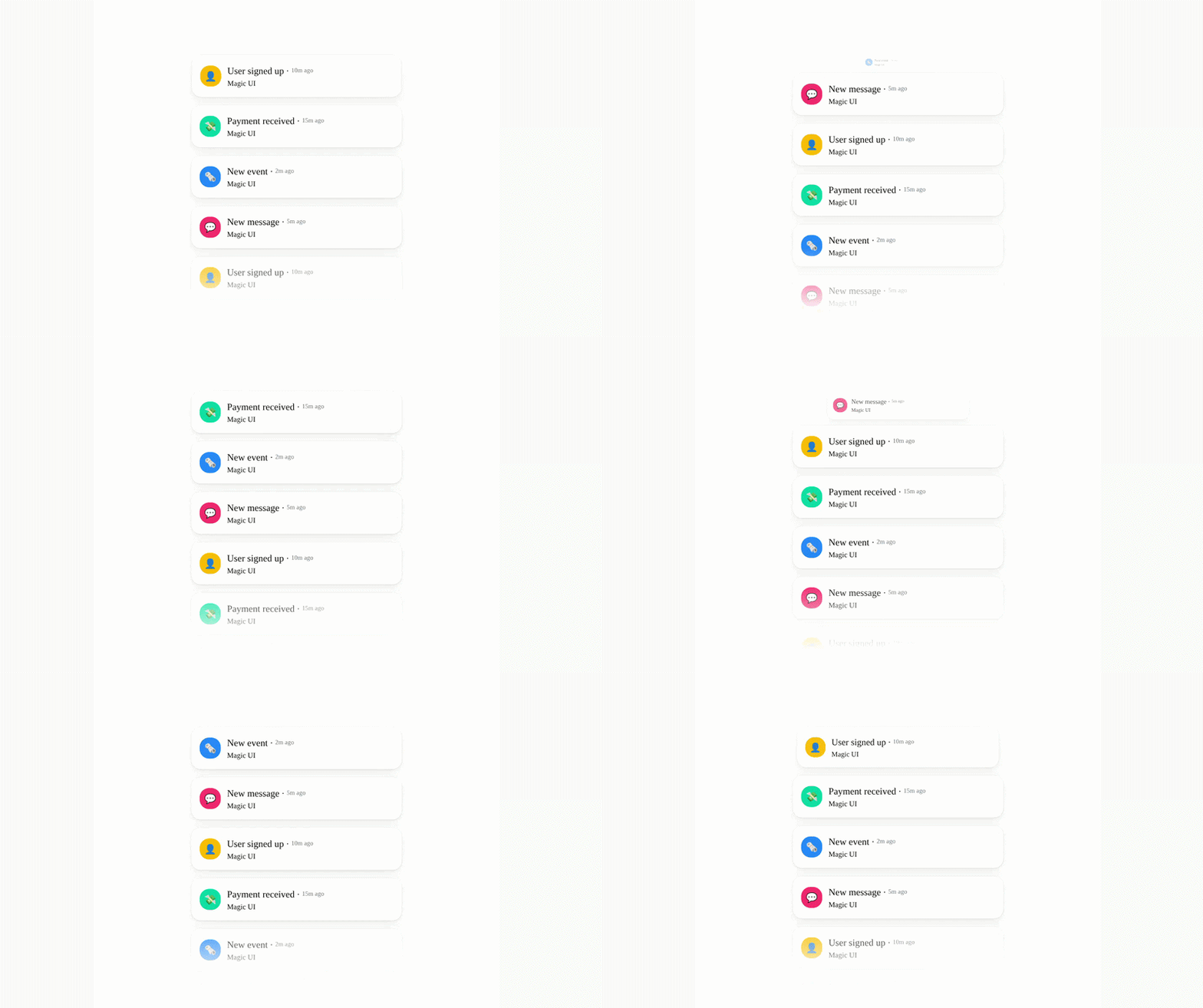
The AnimatedList component sequentially reveals a collection of items (such as notifications, cards, or chat messages) over time. It differs from static list components through three primary behaviors:
- Staged Entry Order: Items are added to the visible list one by one at designated timer intervals.
- Top-First Insertion: The most recently added (newest) item is always inserted at the top of the UI viewport, pushing older items downward.
- Layout Transition Physics: The list entries animate smoothly from their initial scale/opacity state, and existing cards translate organically to make room for new items using spring physics.
2. Component Implementation (animated-list.tsx)
Below is the complete implementation of the AnimatedList and AnimatedListItem components:
"use client"

import React, {
  useEffect,
  useMemo,
  useState,
  type ComponentPropsWithoutRef,
} from "react"
import { AnimatePresence, motion, type MotionProps } from "motion/react"

import { cn } from "@/lib/utils"

export function AnimatedListItem({ children }: { children: React.ReactNode }) {
  const animations: MotionProps = {
    initial: { scale: 0, opacity: 0 },
    animate: { scale: 1, opacity: 1, originY: 0 },
    exit: { scale: 0, opacity: 0 },
    transition: { type: "spring", stiffness: 350, damping: 40 },
  }

  return (
    <motion.div {...animations} layout className="mx-auto w-full">
      {children}
    </motion.div>
  )
}

export interface AnimatedListProps extends ComponentPropsWithoutRef<"div"> {
  children: React.ReactNode
  delay?: number
}

export const AnimatedList = React.memo(
  ({ children, className, delay = 1000, ...props }: AnimatedListProps) => {
    const [index, setIndex] = useState(0)
    const childrenArray = useMemo(
      () => React.Children.toArray(children),
      [children]
    )

    useEffect(() => {
      let timeout: ReturnType<typeof setTimeout> | null = null

      if (index < childrenArray.length - 1) {
        timeout = setTimeout(() => {
          setIndex((prevIndex) => (prevIndex + 1) % childrenArray.length)
        }, delay)
      }

      return () => {
        if (timeout !== null) {
          clearTimeout(timeout)
        }
      }
    }, [index, delay, childrenArray.length])

    const itemsToShow = useMemo(() => {
      const result = childrenArray.slice(0, index + 1).reverse()
      return result
    }, [index, childrenArray])

    return (
      <div
        className={cn(`flex flex-col items-center gap-4`, className)}
        {...props}
      >
        <AnimatePresence>
          {itemsToShow.map((item) => (
            <AnimatedListItem key={(item as React.ReactElement).key}>
              {item}
            </AnimatedListItem>
          ))}
        </AnimatePresence>
      </div>
    )
  }
)

AnimatedList.displayName = "AnimatedList"
3. Structural Mechanics and State Loop
The sequential insertion mechanism relies on an internal index pointer combined with side-effects to stagger elements.
A. Element Normalization
React.Children.toArray(children) normalizes the children prop. This function:
- Flattens nested arrays or fragments.
- Assigns deterministic keys (and prefixes existing ones) to prevent React's "missing key" warnings during rendering.
- Allows precise indexing operations (
childrenArray.length).
[!NOTE] Why is this necessary? In React, the
childrenprop is an opaque data structure. It can be a single object, an array, or evenundefined. Normalizing it withtoArrayguarantees it is formatted as a flat array, allowing safe.lengthand.slice()operations without type check errors or crashes during renders.
B. The Timer Lifecycle
The timing synchronization is controlled inside the useEffect loop:
useEffect(() => {
  let timeout: ReturnType<typeof setTimeout> | null = null

  if (index < childrenArray.length - 1) {
    timeout = setTimeout(() => {
      setIndex((prevIndex) => (prevIndex + 1) % childrenArray.length)
    }, delay)
  }
  return () => {
    if (timeout !== null) clearTimeout(timeout)
  }
}, [index, delay, childrenArray.length])- Condition: The timer only fires if
indexis less thanchildrenArray.length - 1. Once all elements are rendered, the timer ceases loop executions. - Cleanup: If the component unmounts or dependencies change before the timeout finishes,
clearTimeout(timeout)is invoked, preventing memory leaks and orphaned async state updates.
C. Reversing and Staggering
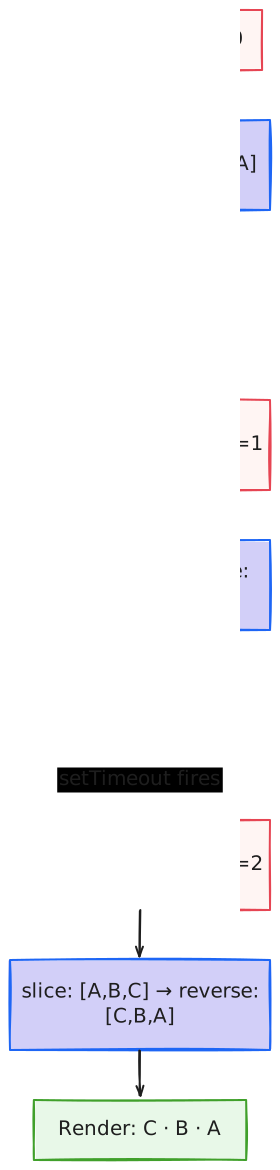
By default, slicing would yield:
index = 0→[A]index = 1→[A, B]index = 2→[A, B, C]
Since standard DOM flow appends new items to the bottom, the component applies a .reverse() transform on the sliced slice:
index = 0→[A]index = 1→[B, A]index = 2→[C, B, A]
This ensures that the newest element (the one at the largest active index) shifts to the front of the output array, positioning it at the top of the container.
4. Animation and Layout Kinetics
Individual entries are mounted using spring physics controls via Framer Motion.
A. Animation Configuration
const animations: MotionProps = {
  initial: { scale: 0, opacity: 0 },
  animate: { scale: 1, opacity: 1, originY: 0 },
  exit: { scale: 0, opacity: 0 },
  transition: { type: "spring", stiffness: 350, damping: 40 },
}- Vertical Anchoring (
originY: 0): Setting the origin to the top vertical boundary overrides the default center scaling anchor. This coordinates the scale animation to expand downward from the top edge rather than zooming out from the center card. - Spring Dynamics: Rather than using time-based cubic-bezier easing, the animation utilizes a physical mass-spring system:
- Stiffness (350): Determines the spring tension. Higher values result in snappier, faster initial movement.
- Damping (40): Dictates the resistance offset. This high damping factor prevents the cards from oscillating excessively while maintaining a rapid bounce settling profile.
B. Layout Shifts (layout)
Passing the layout prop to the motion.div wrapper:
<motion.div {...animations} layout className="mx-auto w-full">
  {children}
</motion.div>
When a new item C is prepended to the array:
Ctriggers its entry animation (initial→animate).- Existing items
BandAare shifted down the layout. - Framer Motion tracks the visual bounding boxes of
BandAusing their Reactkey. It applies a smooth transform to translate them from their old positions to the new positions, preventing sudden UI jumps.
C. Exit Presence (AnimatePresence)
The wrapper <AnimatePresence> evaluates when components are removed:
<AnimatePresence>
  {itemsToShow.map((item) => (
    <AnimatedListItem key={(item as React.ReactElement).key}>
      {item}
    </AnimatedListItem>
  ))}
</AnimatePresence>
When an item is unmounted, AnimatePresence intercepts the unmounting event, executes the exit animation (scale: 0, opacity: 0), and cleanly removes the node once the transition completes.