IP Addresses & Subnetting
My personal notes on IP addressing, CIDR subnetting, packet routing, and how networks isolate systems under the hood.
In our previous post on the OSI Model, we saw how computers communicate across different layers. We learned that:
- At Layer 3 (the Network Layer), devices use IP Addresses as logical addresses (similar to mailing addresses) to route data.
- At Layer 2 (the Data Link Layer), devices use MAC Addresses as physical hardware fingerprints to hop between nodes on the same local network.
To design scalable and secure backend systems, we typically want to understand how IP addressing works under the hood. Whether we are sizing a cloud network, troubleshooting container deployment failures, or configuring a global Content Delivery Network (CDN), IP addressing forms the foundation.
1. What is an IP Address?
An IP (Internet Protocol) Address is a logical numerical label assigned to every device participating in a network.
Today, two versions of IP addresses coexist across the internet: IPv4 and IPv6.
IPv4 vs. IPv6 Comparison
| Feature | IPv4 | IPv6 |
|---|---|---|
| Address Size | 32 bits | 128 bits |
| Format | 4 octets (dotted-decimal) | 8 groups of hex (colon-separated) |
| Total Addresses | ~4.3 Billion (2^32) | ~340 Undecillion (2^128) |
| Example | 192.168.1.1 | 2001:0db8:85a3:0000:0000:8a2e:0370:7334 |
| Header Size | Variable (20–60 bytes) | Fixed (40 bytes) |
| Autoconfiguration | DHCP / Manual | Stateless Address Autoconfiguration (SLAAC) / DHCPv6 |
[!NOTE] What is a Bit? A "bit" is the smallest unit of computer data, representing either a
0or a1.
- 32 bits (IPv4) means a sequence of 32 ones and zeros.
- 128 bits (IPv6) is a sequence of 128 ones and zeros, providing vastly more address space to accommodate the explosion of connected devices worldwide.
[!NOTE] Why do we need IP addresses if every device already has a unique MAC address? MAC addresses are random numbers burned into the hardware that give no clues about where a device is located. If we routed the internet using MAC addresses, every router in the world would have to memorize the location of billions of individual devices. IP addresses solve this because they are hierarchical (split into network ranges, like ZIP codes). Routers only need to know the path to the network range, keeping routing tables small. Even on private internal networks, relying solely on flat MAC addresses would cause massive "broadcast storms" that crash the network, so we use Private IPs to create smaller, isolated subnets.
How Devices Get IP Addresses
When a device joins a network, it needs an IP address to participate. We typically see three main ways this is handled:
- Manual Configuration (Static IP): We manually assign a permanent IP that never changes.
- Traditional: Used for databases or servers that need a fixed address.
- Modern Cloud: Individual servers are temporary (ephemeral) and get dynamic IPs. Instead of static IPs on servers, we put a stable Load Balancer (with a static IP or DNS name) in front of them.
- DHCP (Dynamic Host Configuration Protocol): The standard way for IPv4. A central server (like our Wi-Fi router) acts as an address administrator. When our phone or computer connects, it asks the router for an IP. The router leases a temporary address to the device. Once the device leaves, that IP is recycled.
- SLAAC (Stateless Address Autoconfiguration): The default way for IPv6. Instead of asking a central server to hand out an IP address, a device listens to the network to find the local network prefix (the "ZIP code"). It then combines that prefix with its own hardware MAC address to automatically create its own unique IPv6 address. Alternatively, IPv6 networks can also use DHCPv6 (which operates like DHCP, but is adapted for the larger 128-bit IPv6 address format).
[!NOTE] Stateful vs. Stateless (and Cloud Hosts)
- Stateful (DHCP / DHCPv6): A central server keeps a master ledger of which IP is assigned to which device. This is crucial for cloud networks, because cloud firewalls and routers need to know exactly which IP is assigned to which virtual machine. Thus, cloud hosts are assigned a specific, single address (which they configure internally as a
/128host address).- Stateless (SLAAC): No central registry exists. Devices automatically build their own addresses by combining the network prefix (e.g.,
2001:db8::/64) with their hardware MAC address. This is common for consumer devices (like smartphones) for quick, plug-and-play internet.
2. Anatomy of an IPv4 Address
An IPv4 address is a 32-bit number. To make it human-readable, we divide these 32 bits into four 8-bit groups called octets, separated by dots (dotted-decimal notation).
Each octet represents a value from 0 to 255 (2^8 = 256 possibilities).
Dotted-Decimal:      192      .      168      .       1       .      50
Binary:           11000000        10101000        00000001        00110010
                  (8 bits)        (8 bits)        (8 bits)        (8 bits)
Understanding Binary to Decimal
If we are not familiar with binary, each bit in an 8-bit octet represents a power of 2, starting from the right (2^0 to 2^7):
- Bit values:
[128, 64, 32, 16, 8, 4, 2, 1]
To convert a binary octet back to decimal, we simply add the values of the positions containing a 1:
11000000-> 128 + 64 = 19210101000-> 128 + 32 + 8 = 16800000001-> 100110010-> 32 + 16 + 2 = 50
Every IP address contains two essential pieces of information:
- Network Prefix (Network ID): Identifies the specific network the device belongs to (like a ZIP code or city).
- Host ID: Identifies the specific device within that network (like a house number).
To determine where the network portion ends and the host portion begins, we use a Subnet Mask.
3. Subnetting & CIDR
Why do we Subnet?
A flat network is a single, undivided network segment where all connected devices share the exact same broadcast domain without any internal routers or Layer 3 boundaries. In a flat network, every device can communicate directly with any other device via MAC addresses without having to route packets through a gateway.
If all devices on the internet belonged to a single flat network, it would fail due to three specific technical issues:
- Broadcast Storms (ARP Flooding): When a device wants to send a packet to a local IP address, it must first resolve that IP to a physical MAC address by broadcasting an ARP (Address Resolution Protocol) Request to all devices on the network. In a giant flat network, every device's Network Interface Card (NIC) would be forced to process billions of incoming ARP requests from around the globe, causing CPU exhaustion.
- Security Exposure (Packet Sniffing): In a flat network, all devices share the same broadcast domain and network segment. By default, a device's network card only processes packets addressed to its own MAC address. However, a compromised device can enable Promiscuous Mode—a configuration that tells the network card to capture every packet passing through the local wire, regardless of its destination. This allows attackers to sniff unencrypted traffic (like raw database queries, HTTP, or DNS packets) belonging to other machines. Subnetting isolates this traffic so that packets from one subnet never reach the physical segments of another.
- IP Address Allocation Waste: Historically, IPv4 used a rigid, flat "classful" addressing structure where addresses were assigned only in fixed sizes (Class A, B, or C blocks). There were no subnets to slice these blocks up. If a company required 300 IP addresses, they had to take an entire Class B block (65,536 IPs) because the network couldn't be segmented into a custom size, wasting 65,236 addresses.
Subnetting resolves these issues by breaking up this flat addressing model into a hierarchical network structure. By dividing a network into isolated, smaller sub-networks (subnets), we restrict broadcast traffic to its local domain, isolate network packets for security, and allocate custom-sized CIDR blocks to avoid wasting IPs.
Subnet Masks & The Bitwise AND Operation
A subnet mask is also a 32-bit number. It consists of a continuous block of binary 1s followed by a block of binary 0s.
When a router wants to find which network an IP address belongs to, it performs a mathematical Bitwise AND operation between the destination IP and the subnet mask:
1 AND 1 = 11 AND 0 = 00 AND 0 = 0
How a Router Extracts the Network ID
Let's apply the mask 255.255.255.0 to the IP address 192.168.1.50:
IP Address:   11000000 . 10101000 . 00000001 . 00110010  (192.168.1.50)
Subnet Mask:  11111111 . 11111111 . 11111111 . 00000000  (255.255.255.0)
-------------------------------------------------------
Network ID:   11000000 . 10101000 . 00000001 . 00000000  (192.168.1.0)
The router now knows this packet belongs to the 192.168.1.0 network.
CIDR Notation
Historically, IP addresses were divided into fixed classes (Class A, B, and C) with implied prefix sizes:
- Class A: First 8 bits were the network prefix (implied
/8). - Class B: First 16 bits were the network prefix (implied
/16). - Class C: First 24 bits were the network prefix (implied
/24).
Under this class-based model, routers inferred prefix sizes purely from the IP address itself rather than transmitting subnet masks, preventing custom subnet sizes or Longest Prefix Match (LPM) routing.
Today, we use CIDR (Classless Inter-Domain Routing). CIDR decouples the prefix size from the IP class, using slash notation (e.g., /24) to transmit subnet masks alongside routes and enable dynamic prefix-match routing.
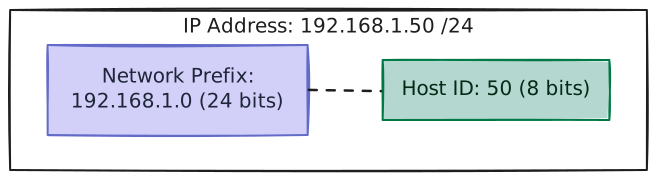
Example: 192.168.1.0/24
- The
/24prefix length means the first 24 bits are fixed for the network prefix. - This leaves 32 - 24 = 8 bits for host IDs.
Sizing Subnets
To calculate the total number of IP addresses in a CIDR block, we use the formula:
Total IPs = 2^(32 - N)
Where N is the CIDR prefix length.
However, in standard subnets, we typically subtract 2 from the total count to find the usable IPs:
- Network Address (First IP): Represents the subnet itself (e.g.,
192.168.1.0). It is like a street name and cannot be assigned to an individual host. - Broadcast Address (Last IP): Used to send packets to all hosts on the subnet simultaneously (e.g.,
192.168.1.255). It is like shouting through a megaphone to everyone on the street.
Usable IPs = 2^(32 - N) - 2
[!IMPORTANT] Cloud Provider Caveat (e.g., in a
10.0.1.0/24subnet): Managed cloud environments like AWS reserve 5 IP addresses in every subnet. If your subnet range is10.0.1.0/24, these reserved addresses are:
10.0.1.0(Network Address): Identifies the subnet itself.10.0.1.1(VPC Router): The default gateway (the "exit gate") used to route traffic leaving this subnet.10.0.1.2(DNS Server): Resolves human-friendly domain names likegoogle.comto IP addresses.10.0.1.3(Reserved): Reserved by the cloud provider for future network capabilities.10.0.1.255(Broadcast Address): Reserved for network broadcasting.When planning subnets in AWS, our usable capacity is 2^(32 - N) - 5.
Common Subnet Reference Table
| CIDR Prefix | Subnet Mask | Total IPs | Usable IPs (Standard) | Common Cloud Use Case |
|---|---|---|---|---|
/32 | 255.255.255.255 | 1 | 1 | A single host (e.g., an Elastic IP or a single VM). |
/28 | 255.255.255.240 | 16 | 14 | Small subnet (e.g., administrative directory services). |
/24 | 255.255.255.0 | 256 | 254 | Standard subnet for microservices / application servers. |
/20 | 255.255.240.0 | 4,096 | 4,094 | Large subnet (e.g., staging environments or large microservice clusters). |
/16 | 255.255.0.0 | 65,536 | 65,534 | Standard AWS VPC sizing block. |
4. Reserved & Private IP Addresses (RFC 1918)
Since IPv4 only provides around 4.3 billion addresses, the internet ran out of unique public IP addresses years ago. To slow this down, the industry introduced Private IP Ranges (documented in RFC 1918).
Private IP addresses are reserved for internal networks (like our home Wi-Fi or a company's cloud network). Routers on the public internet are configured to immediately drop packets carrying these addresses.
| Legacy Name | CIDR Block | IP Range | Total IPs |
|---|---|---|---|
| "Class A" Block | 10.0.0.0/8 | 10.0.0.0 – 10.255.255.255 | 16.7 Million |
| "Class B" Block | 172.16.0.0/12 | 172.16.0.0 – 172.31.255.255 | 1.04 Million |
| "Class C" Block | 192.168.0.0/16 | 192.168.0.0 – 192.168.255.255 | 65,536 |
[!NOTE] Wait, isn't "Classful" networking dead? Yes, it was replaced by CIDR in 1993! However, engineers still colloquially refer to these three private ranges as "Class A, B, and C" blocks purely out of historical habit.
Because private IPs are isolated, different companies can use the exact same private IP ranges (e.g., two startups might both run their databases on 10.0.1.50 inside their respective networks) without any conflicts.
Other Key Reserved Ranges
- Loopback (Localhost):
127.0.0.1/8. Packets sent here never leave our physical machine; they loop back directly to the local operating system (great for testing servers we run locally). - Link-Local:
169.254.0.0/16. Automatically assigned by devices when they cannot reach a DHCP server to acquire an IP (allowing them to still talk locally).
[!TIP] Developer Gotcha:
127.0.0.1vs0.0.0.0When running a local server (like a Node.js app or a local database), you often have to tell it which IP to "bind" to.
- Binding to
127.0.0.1(Localhost) means the server will only accept traffic originating from that exact same machine. This is highly secure and perfect for local databases.- Binding to
0.0.0.0(All Interfaces) acts as a wildcard. It tells the server to accept traffic coming from any IP address (the public internet, your local Wi-Fi, etc.). Web servers usually bind to0.0.0.0so they can receive traffic from a Load Balancer. Binding a database to0.0.0.0accidentally is a massive security risk!
5. How IP Routing & NAT Work
IP Routing: Longest Prefix Match (LPM)
When a router receives a packet, it extracts the destination IP and checks its Routing Table to find the next hop.
If multiple entries match the target address, the router uses the Longest Prefix Match (LPM) rule: it selects the route with the most specific subnet mask (the largest prefix length /N).
LPM Example
Suppose a router's table has these entries:
10.0.0.0/16→ Send to Gateway A10.0.1.0/24→ Send to Gateway B
If a packet arrives for 10.0.1.50:
- It matches both rules.
- However,
/24is longer (more specific) than/16. - The router forwards the packet to Gateway B.
NAT (Network Address Translation)
Since private IPs are non-routable on the public internet, how does a backend server with a private IP (10.0.1.50) fetch a library update from GitHub?
We use NAT (Network Address Translation).
[!NOTE] The Hotel Lobby Analogy: Think of a NAT router as a hotel receptionist:
- The hotel has only one main public phone number (the Public IP).
- The rooms have private extension numbers (the Private IPs).
- If room 302 wants to call an outside number, the receptionist routes the call outbound, substituting the room's extension with the main hotel number.
- The receptionist notes down:
Room 302 <--> Outside Call.- When the outside party responds, the receptionist checks the log and forwards the audio to Room 302.
- People outside the hotel cannot call Room 302 directly; they typically need to go through the receptionist.
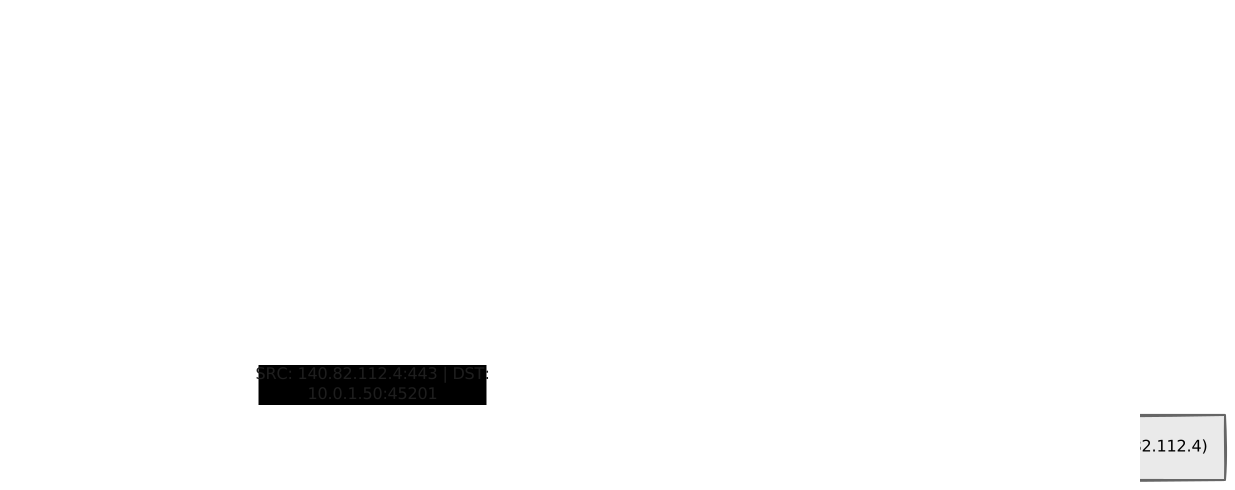
This translation keeps our database clusters and microservices isolated and secure.
How does NAT guarantee traffic is outbound-only?
- The Translation Table: The NAT gateway only lets packets pass if they match an active connection in its mapping table.
- Outbound Traffic: When your server initiates a request, the NAT gateway creates a mapping entry (e.g., private
10.0.1.50:45201↔ public port60001). When the public site replies to port60001, the NAT finds the match and forwards the response back to your server. - Unsolicited Inbound Traffic: If a random user or hacker on the internet tries to connect to the NAT gateway's public IP, the NAT gateway checks its table, finds no active connection initiated from the inside, and immediately drops the packet. Because the NAT gateway performs source NAT (SNAT), it rewrites the packet’s source IP from the private address to its own public IP before sending it out to the internet. The original private IP stays only in the NAT’s internal translation table, never visible on the public side.
6. System Design Applications
Let's look at three classic system design scenarios where IP addressing decisions make or break an application.
A. Cloud VPC Design (Public vs. Private Subnets)
A VPC (Virtual Private Cloud) is your own private, isolated virtual network inside a cloud provider's data center.
Cloud providers like AWS run massive data centers where thousands of companies host their servers on the same physical hardware. Without isolation, all those servers would be on the same shared network — meaning any company could sniff another's traffic, or two companies using the same IP address (like 10.0.1.15) would cause a collision.
A VPC solves this by wrapping your servers in a secure virtual bubble — only your servers can see each other. You pick a private IP range for this bubble (e.g., 10.0.0.0/16, giving you 65,536 private IPs that only exist inside your own network). (System Design Tip: Always over-provision your subnets—running out of IPs requires a painful and risky migration to a brand-new, larger subnet!)
Inside this VPC, we split servers into two zones based on whether they should be reachable from the public internet:
| Public Subnet | Private Subnet | |
|---|---|---|
| Who can reach it? | Anyone on the internet | Only servers inside the VPC |
| What lives here? | Load Balancers | App Servers, Databases |
| Routing Table rule | Route traffic to Internet Gateway | No internet route |
| Outbound internet? | Yes, directly | Yes, but only via NAT Gateway |
| Inbound internet? | Yes – inbound traffic is allowed via the Internet Gateway (resource must have a public IP) | No – inbound traffic is blocked; private resources cannot be reached from the internet |
The difference between public and private is purely a routing rule:
- Public Subnet: Its routing table sends all traffic (
0.0.0.0/0) to an Internet Gateway. The Internet Gateway is a transparent bridge – it does not perform any address translation. Only resources that already have a public IP (e.g., a Load Balancer or an Elastic IP) can send traffic through it, and replies come straight back to that public IP. - Private Subnet: No route to an Internet Gateway, so packets never leave the VPC directly. When a private server needs outbound access it uses a NAT Gateway, which performs source NAT (SNAT) to replace the private source address with its own public address, keeping the private IP hidden.
[!NOTE] Do all servers in a public subnet get a public IP?
No. All IPs inside a VPC are private by default. Typically, we only assign a public IP to a handful of edge resources:
Resource Private IP Public IP Visibility Load Balancer 10.0.1.10Yes Exposed to public internet NAT Gateway 10.0.1.20Yes Bridge for outbound‑only traffic App Servers 10.0.1.xNone Hidden from public internet Databases 10.0.10.xNone Strictly internal access only If resources need a public IP anyway, why do we need a "Public Subnet"?
To be reachable from the internet, a resource needs both:
- A Public IP: Like a security badge.
- A Public Subnet (IGW Route): Like the physical door to the outside world.
If you assign a public IP to a server inside a Private Subnet, it remains unreachable. Even though it has a "badge", its subnet has no "door" (no route to the Internet Gateway) for traffic to enter or exit.
(Notice how the Load Balancer proxy forwards internet traffic internally to the App Servers. This is allowed because all subnets inside the same VPC can communicate with each other securely using their Private IPs!)
B. IP Address Exhaustion in Container Clusters (like Kubernetes)
In modern cloud platforms, we often run applications inside lightweight, isolated containers (commonly grouped into Pods in Kubernetes).
By default, many cloud networking setups assign every single container or Pod its own unique private IP address directly from our subnet's IP range.
If we design our subnets too small (for instance, using a /24 subnet with only 254 usable IPs), we can easily run out of addresses:
- Suppose we have 10 virtual servers (nodes) in the subnet.
- We run 20 application containers on each server.
- Each server also runs 5 background tools (like logging agents, metrics collectors, and local DNS routers).
- This requires: 10 servers x (20 apps + 5 background tools) = 250 IP addresses.
We will rapidly hit IP Exhaustion near the 254 limit. When this happens:
- The orchestrator cannot start new application containers, failing with errors like
No IP addresses available. - Auto-scaling fails, causing application latency to spike during traffic surges, even though our physical servers have plenty of idle CPU and memory.
Common strategies to address this:
- Sizing subnets generously: Allocating larger
/20or/19subnets specifically for running containers. - Secondary IP Ranges: Configuring the cluster to assign container IPs from a separate, virtual IP space that does not consume the host server subnet's private IPs.
C. Anycast Routing (CDNs & Global DNS)
Normally, an IP address is a Unicast address—it points to exactly one physical computer somewhere in the world.
However, global services like Google Public DNS (8.8.8.8) and Content Delivery Networks (CDNs) (global networks of edge servers that cache website content closer to users) use Anycast Routing.
With Anycast:
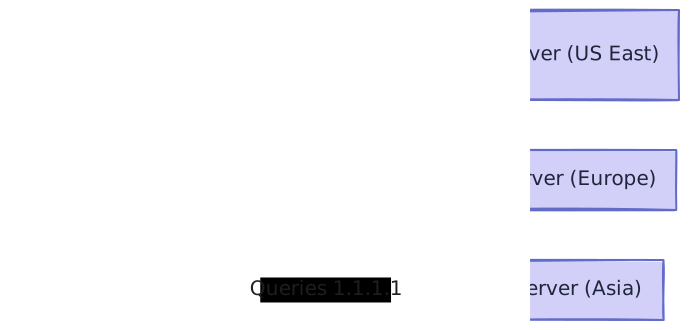
- Multiple servers deployed in different data centers all over the world advertise the exact same IP address using BGP (Border Gateway Protocol)—the standard language that routers use to announce which network paths they can reach.
- When a client sends a request to that IP, internet routers dynamically forward the packet to the topologically closest server advertising that address.
[!NOTE] The Danger of BGP Hijacking Because Anycast relies on trust, malicious ISPs can announce fake routes to hijack global traffic (like when Pakistan accidentally took YouTube offline in 2008). To prevent this, the registries that issue IPs now use RPKI—cryptographic signatures that verify a router is truly authorized to advertise an IP.
Benefits of Anycast:
- Low Latency: User queries are resolved at the nearest edge location rather than traveling across oceans.
- High Availability & Failover: If the server in Frankfurt goes offline, routers automatically redirect European users to the next closest location (like London or Paris).
- DDoS Protection: In a DDoS (Distributed Denial of Service) attack—where malicious actors try to crash our service by flooding it with traffic from millions of hijacked devices—the attack traffic is naturally split up and absorbed by all global edge servers, rather than overwhelming one single origin server.
[!NOTE] Not for Stateful Applications Because internet routing paths fluctuate dynamically, Anycast can accidentally route the same user to two different data centers during a single session. This makes it excellent for stateless services (like DNS or downloading images) but a nightmare for stateful applications (like managing shopping carts or logged-in user sessions).